
Installing a Home Audio System: A Guide to Home Audio System Installation
- Allen Daniels
- 4 days ago
- 3 min read
Setting up a home audio system can transform your living space. It brings music, movies, and games to life with rich, clear sound. However, installing such a system requires planning and knowledge. I will walk you through the essential steps to install a home audio system effectively. This guide covers everything from choosing the right components to final setup and calibration.
Planning Your Home Audio System Installation
Before buying any equipment, you need a clear plan. Start by deciding the purpose of your system. Will it be for music, movies, or both? Consider the size and layout of the room where you will install the system. These factors influence the type and number of speakers you need.
Next, choose the components. A typical home audio system includes:
Receiver or amplifier: The heart of the system that powers speakers and processes audio signals.
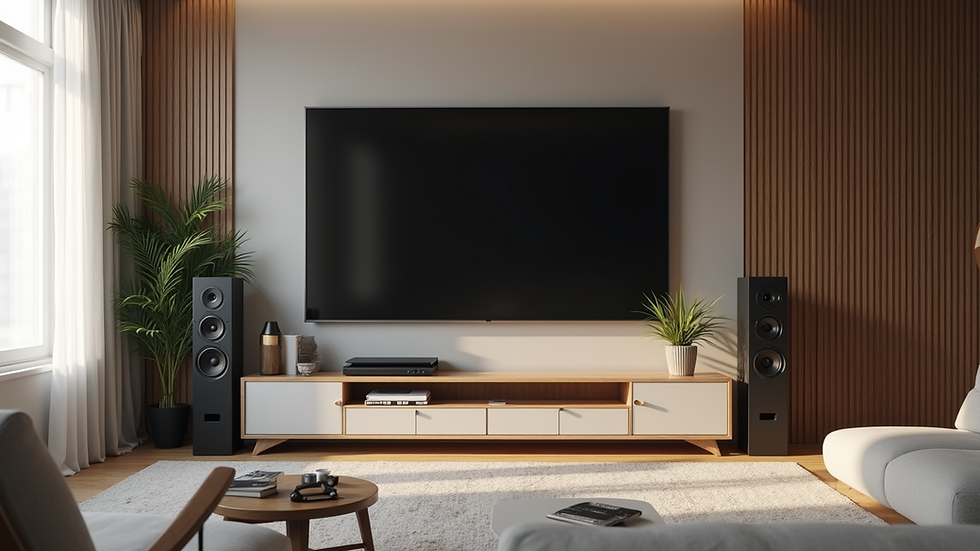
Speakers: Floor-standing, bookshelf, in-wall, or ceiling speakers depending on your room and preferences.
Source devices: Such as a CD player, turntable, streaming device, or TV.
Cables and connectors: To link all components.
Measure your room and mark speaker locations. Place front speakers at ear level when seated. Surround speakers should be slightly above ear level and behind the listening area. Subwoofers can go near a wall or corner for better bass response.
If you feel unsure about wiring or placement, consider professional home audio installation services. They can ensure optimal setup and performance.

Setting Up Your Home Audio System Installation
Once you have your equipment and plan, start the installation. Begin with the receiver or amplifier. Place it in a well-ventilated area near your TV or media center. Connect your source devices to the receiver using the appropriate cables. HDMI, optical, and RCA cables are common options.
Next, connect the speakers. Use speaker wire to link each speaker to the receiver’s terminals. Pay attention to polarity - positive to positive and negative to negative. Incorrect wiring can cause poor sound quality.
Mount or place your speakers according to your plan. Use speaker stands or wall mounts if needed. Ensure speakers are stable and secure.
After wiring, power on the system. Use the receiver’s setup menu to configure speaker sizes, distances, and levels. Many receivers include an automatic calibration microphone. This tool measures your room’s acoustics and adjusts settings for the best sound.

Will Geek Squad install a TV not purchased at Best Buy?
Many people wonder if Geek Squad will install a TV they did not buy from Best Buy. The answer is yes, but with some conditions. Geek Squad offers installation services for TVs regardless of where you purchased them. However, the cost and availability of service may vary.
If you want Geek Squad to install a TV bought elsewhere, you should:
Confirm the TV model is compatible with their installation services.
Understand that warranty or support might differ from Best Buy purchases.
Schedule the installation and clarify any fees upfront.
This flexibility helps homeowners who want professional installation without restrictions on where they buy their TV.
Tips for Optimizing Your Home Audio System
After installation, fine-tune your system for the best experience. Here are some practical tips:
Speaker placement: Small adjustments can improve soundstage and clarity. Avoid placing speakers too close to walls.
Room acoustics: Use rugs, curtains, and furniture to reduce echoes and reflections.
Calibration: Run the receiver’s auto-calibration regularly, especially if you move furniture.
Volume levels: Set balanced volume levels for all speakers to avoid overpowering bass or weak dialogue.
Source quality: Use high-quality audio files or streaming services for better sound.
If you want to upgrade later, consider adding a subwoofer or upgrading to a multi-channel surround system.
When to Call Professionals for Home Audio Installation
Installing a home audio system can be straightforward, but some situations call for expert help. If you face any of these challenges, professional installation is a smart choice:
Complex wiring through walls or ceilings.
Integrating multiple devices and smart home automation.
Custom speaker placement or in-wall speaker installation.
Calibration for large or irregular rooms.
Troubleshooting sound issues after setup.
Professional home audio installation services ensure your system performs at its best. They bring experience, tools, and knowledge to handle any technical challenges.
Investing in expert installation saves time and frustration. It also protects your equipment and home from damage during setup.
Enhancing Your Home Entertainment Experience
A well-installed home audio system is the foundation of a great entertainment space. Pair it with a quality display, comfortable seating, and smart controls for a complete setup. Consider integrating voice assistants or automation to control your system easily.
Regular maintenance keeps your system running smoothly. Clean speaker grills, check cable connections, and update firmware on your devices.
By following this guide, you can enjoy immersive sound and elevate your home entertainment. Whether you do it yourself or hire professionals, a good home audio system installation makes a big difference.
Take the first step today and start planning your ideal home audio setup.


Comments