
Setting Up Your Home Entertainment System: Entertainment Setup Essentials
- Allen Daniels
- Jun 8
- 3 min read
Creating a home entertainment system that delivers excellent audio and video quality requires careful planning and execution. I want to share practical steps and tips to help you set up a system that fits your space and lifestyle. Whether you want a simple TV setup or a full smart home theatre, this guide covers the essentials.
Entertainment Setup Essentials: Choosing the Right Components
The first step is selecting the right components. Your choices depend on your room size, budget, and how you plan to use the system. Here are the key elements to consider:
Display: A large, high-resolution TV or projector is the centerpiece. Look for 4K resolution or better for sharp images.
Audio: A surround sound system enhances the experience. Options include soundbars, 5.1 or 7.1 speaker setups, or wireless multi-room speakers.
Source Devices: Streaming devices, Blu-ray players, or gaming consoles provide content.
Receiver or Amplifier: This device powers your speakers and manages inputs.
Smart Controls: Remote controls, apps, or voice assistants simplify operation.
When selecting components, prioritize compatibility and ease of use. For example, ensure your receiver supports the latest HDMI standards and audio formats.
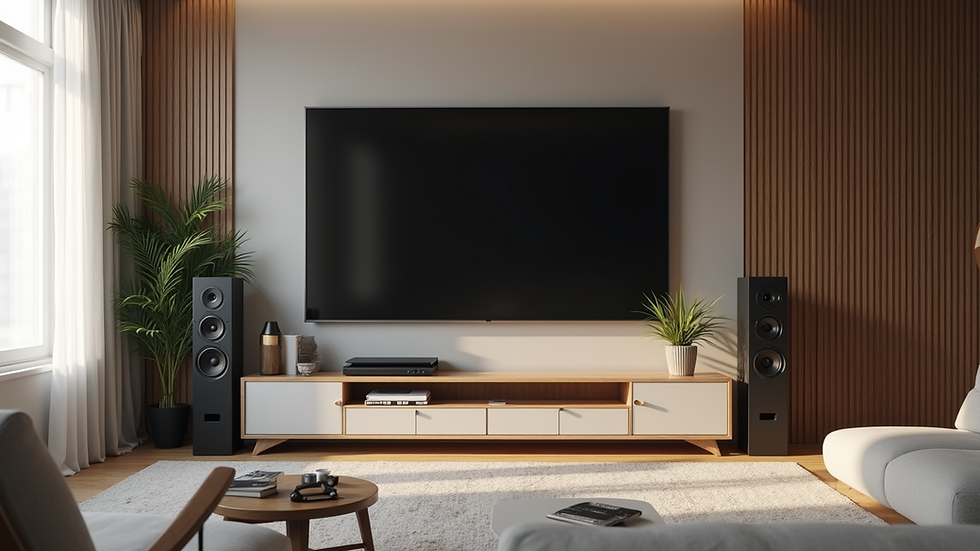
Planning Your Space for Optimal Performance
Before installation, assess your room’s layout and acoustics. The goal is to maximize sound quality and viewing comfort.
Room Size and Shape: Rectangular rooms work best for sound distribution. Avoid placing speakers too close to walls or corners.
Seating Position: Arrange seats so viewers face the screen directly. The ideal distance is about 1.5 to 2.5 times the diagonal screen size.
Lighting: Control ambient light with curtains or dimmable lights to reduce glare.
Acoustic Treatment: Use rugs, curtains, or acoustic panels to minimize echoes and improve sound clarity.
Measure your room and sketch a layout. This helps determine speaker placement and cable runs.
What is the Ideal Home Theater Layout?
An ideal home theater layout balances sound, sightlines, and comfort. Here’s a common setup:
Screen Placement: Mount the screen at eye level when seated. Avoid placing it too high or low.
Speaker Arrangement: Use a 5.1 system as a baseline:
- Front left and right speakers flank the screen.
- Center speaker sits below or above the screen.
- Surround speakers go slightly behind and to the sides of the seating area.
- Subwoofer placement varies; try corners or near the front wall for best bass response.
Seating: Position seats in the “sweet spot” where sound converges. Avoid placing seats against walls.
Test different speaker positions and adjust for the best sound balance. Many receivers include calibration tools to assist.

Connecting and Configuring Your System
Once you have your components and layout, it’s time to connect everything.
Run Cables Neatly: Use cable management solutions like raceways or conduits to keep wires organized and hidden.
Connect Speakers to Receiver: Match speaker wires to the correct terminals. Use banana plugs or bare wire connections.
Hook Up Source Devices: Connect Blu-ray players, streaming boxes, or gaming consoles to the receiver via HDMI.
Configure Receiver Settings: Use the setup menu to assign speaker types, distances, and levels.
Test Audio and Video: Play test tones and video clips to verify everything works correctly.
If you use wireless speakers or smart controls, follow the manufacturer’s instructions for pairing and network setup.
Enhancing Your System with Smart Home Integration
Smart home automation adds convenience and control to your entertainment setup. Consider these enhancements:
Voice Control: Integrate with assistants like Alexa or Google Assistant to control volume, inputs, and playback hands-free.
Multi-Room Audio: Stream music to different rooms using compatible wireless speakers.
Lighting Automation: Sync lighting scenes with your media for immersive experiences.
App Control: Use smartphone apps to manage your system remotely.
Smart integration requires compatible devices and a reliable home Wi-Fi network. Plan your network layout to avoid dead zones.
Final Thoughts on Setting Up Your Home Entertainment System
Setting up a home entertainment system takes time and attention to detail. By choosing the right components, planning your space, and carefully connecting and configuring your devices, you can create a system that delivers excellent performance and enjoyment.
For those looking for expert help, home entertainment system setup services can simplify the process and ensure professional results. Sensible HiFi specializes in creating premium audio, video, and smart home solutions tailored to your needs.
With the right approach, your home entertainment system will become a central part of your living space, offering hours of enjoyment and relaxation.


Comments