
The Basics of Smart Home Setup
Setting up a smart home can seem complex at first. However, with the right approach, it becomes manageable and rewarding. I want to share practical steps and insights to help you create a smart living environment that fits your needs. This guide focuses on premium audio, video, and automation systems, perfect for enhancing your home entertainment and daily life.
Understanding Smart Living Solutions
Smart living solutions integrate technology into your home to improve comfort, convenience, and security. These systems connect devices like lights, thermostats, speakers, and security cameras, allowing you to control them remotely or automate their functions.
For example, you can program your lights to turn on when you arrive home or adjust your thermostat based on the time of day. These solutions not only save energy but also add a layer of convenience that traditional setups cannot match.
When choosing smart living solutions, consider compatibility. Devices should work well together and with your preferred control platform, such as Amazon Alexa, Google Assistant, or Apple HomeKit. This ensures a seamless experience and easier management.

Choosing the Right Devices for Your Home
Selecting the right devices is crucial. Start with the basics: smart lighting, thermostats, and security systems. These offer immediate benefits and are relatively easy to install.
Smart Lighting: Choose bulbs or switches that allow dimming and colour changes. Look for energy-efficient options with good app control.
Thermostats: Smart thermostats learn your schedule and adjust heating or cooling automatically. This can reduce energy bills.
Security Systems: Cameras, doorbells, and sensors enhance safety. Opt for systems with clear video quality and reliable alerts.
Next, consider premium audio and video components. High-quality speakers, amplifiers, and smart TVs can transform your entertainment experience. Integration with your smart home system allows voice control and automation, such as lowering the lights when you start a movie.
Before purchasing, check product reviews and compatibility. Some devices require a hub or bridge to connect with other smart products. Others work directly over Wi-Fi or Bluetooth.
What wiring is required for a smart home?
Wiring needs depend on the devices and the scale of your smart home. Many smart devices are wireless, using Wi-Fi, Zigbee, or Z-Wave protocols. This reduces the need for extensive wiring and simplifies installation.
However, some components benefit from wired connections:
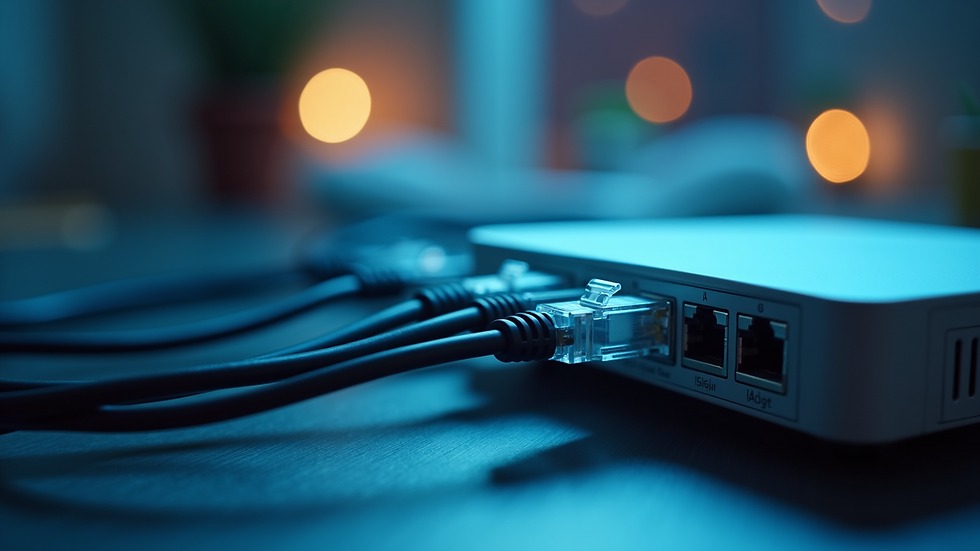
Ethernet cables provide stable internet connections for hubs, smart TVs, and gaming consoles.
Speaker wires are necessary for high-end audio systems to ensure sound quality.
Power cables must be safely installed for devices that require constant power.
If you are building a new home or renovating, consider installing extra wiring conduits. This future-proofs your home and allows easy upgrades. For example, running Cat6 cables to key rooms supports fast and reliable network connections.
Professional installation is recommended for complex wiring tasks. It ensures safety and optimal performance. A well-planned wiring layout also reduces interference and signal loss.
Setting Up Your Smart Home Network
A strong and secure network is the backbone of any smart home. Most smart devices rely on Wi-Fi to communicate. Here are key points to consider:
Router Placement: Position your router centrally to cover the entire home. Avoid obstructions like thick walls or metal objects.
Network Speed: Choose an internet plan with sufficient speed and bandwidth. Streaming video and multiple devices require higher capacity.
Security: Use strong passwords and enable encryption (WPA3 if available). Regularly update your router’s firmware to protect against vulnerabilities.
Separate Networks: Consider creating a guest network for visitors. This keeps your smart devices isolated and more secure.
For larger homes, Wi-Fi extenders or mesh networks improve coverage. Mesh systems use multiple nodes to create a seamless network, eliminating dead zones.
Once your network is ready, connect your smart devices following the manufacturer’s instructions. Most apps guide you through the setup process step-by-step.
Integrating Audio and Video Systems
Premium audio and video systems are central to a smart home entertainment setup. Integration allows you to control everything from one interface, such as a smartphone app or voice assistant.
Start by selecting components that match your room size and usage:
Speakers: Choose between in-wall, ceiling, or freestanding models. In-wall speakers save space and provide clean aesthetics.
Amplifiers and Receivers: These power your speakers and manage inputs from various sources.
Displays: Smart TVs or projectors with 4K resolution offer excellent picture quality.
Integration options include:
Multi-room audio: Play music in different rooms or sync playback throughout the house.
Voice control: Use commands to adjust volume, change inputs, or start playlists.
Automation: Program scenes like “Movie Night” that dim lights, close blinds, and turn on the home theatre system.
Professional calibration ensures the best sound and picture quality. It also helps balance audio levels across rooms.

Maintaining and Expanding Your Smart Home
Once your smart home is set up, maintenance is key to keeping it running smoothly. Regularly check for software updates for all devices. Updates often include security patches and new features.
Monitor device performance and connectivity. If a device frequently disconnects, troubleshoot your network or consider upgrading hardware.
As your needs evolve, you can expand your system. Add smart blinds, irrigation controls, or advanced security features like facial recognition cameras. The modular nature of smart living solutions allows gradual upgrades without replacing the entire system.
Keep documentation of your devices, passwords, and network settings. This helps with troubleshooting and future expansions.
For those interested in learning more or getting expert advice, I recommend visiting Sensible HiFi’s FAQ on smart home setup. They provide valuable insights tailored to premium smart home installations.
Planning Your Smart Home Journey
Creating a smart home is a step-by-step process. Start with a clear plan:
Identify your priorities and budget.
Research compatible devices and platforms.
Prepare your home’s wiring and network.
Install and configure devices.
Test and adjust settings for optimal performance.
Maintain and expand as needed.
By following these steps, you can build a smart living space that enhances your lifestyle and adds value to your home. Sensible HiFi is a trusted partner for those seeking premium audio, video, and automation solutions in the GTA and beyond. Their expertise ensures your smart home setup is efficient, reliable, and tailored to your preferences.
Smart technology is more accessible than ever. With careful planning and the right support, you can enjoy the benefits of a connected home today.


Comments